





Learning
Short questions that earn extra minutes.
When screen time runs out, your child can open a map of short, reviewed questions and lessons. Right answers earn extra minutes, up to the cap you set.
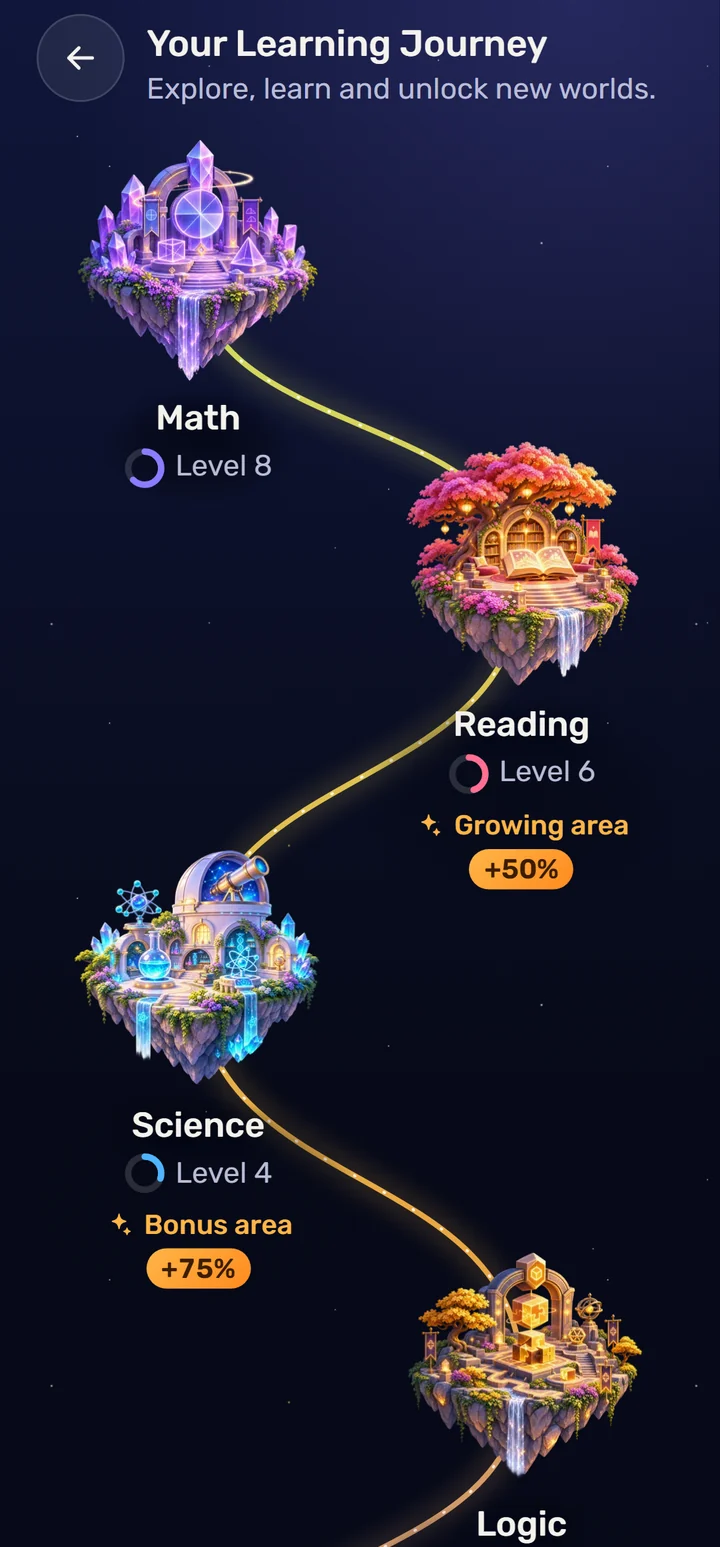
Real child app · sample content
Subjects
Five subjects,one island each.
The pilot catalogue is for ages 9–12. It has 79 reviewed questions in five kits, and 12 short lessons. You choose which subjects each child learns.
Math
15 questions · 3 lessons
- Equal fractions
- Multiplication
- Putting numbers in order
- Reading a clock
- Balancing equations
Reading
17 questions · 2 lessons
- Main idea
- Details and inference
- Word meaning
- Sequence
- Cause and effect
- Fact or opinion
Language
16 questions · 2 lessons
- Spelling
- Word meanings
- Synonyms and opposites
- Parts of speech
- Sentence order
Logic
15 questions · 2 lessons
- Patterns
- Sequences
- Odd one out
- Sorting with clues
- Reasoning step by step
Science
16 questions · 3 lessons
- Living things
- Plants and habitats
- The water cycle
- Magnets
- The Moon


Every question is written in Hebrew and English, and a reviewer checks it before it reaches a child. The content was drafted with AI help. It is pilot content and it will keep growing.
Five question formats
Five waysto answer a question.
Every format has one clear right answer, and the app checks it on its own. Your child never types free text, and nothing is graded by AI.
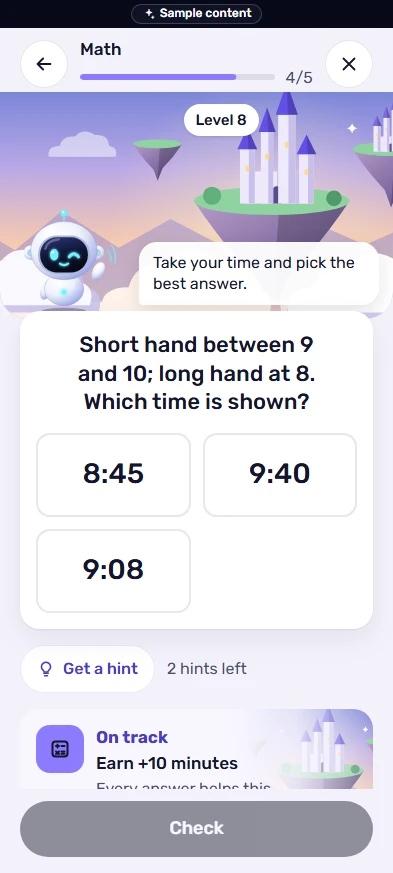
Choice
Pick the best answer from two to four options. Also used for true or false, fill-the-gap, patterns and reading passages.
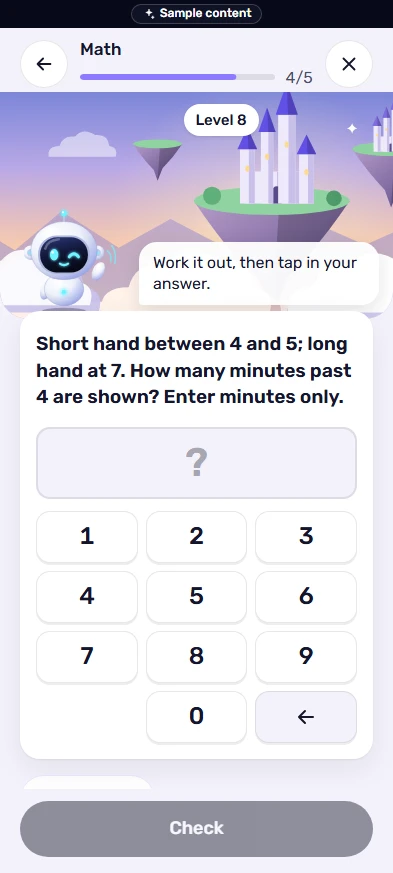
Numeric
Work it out, then tap the answer on a number keypad.
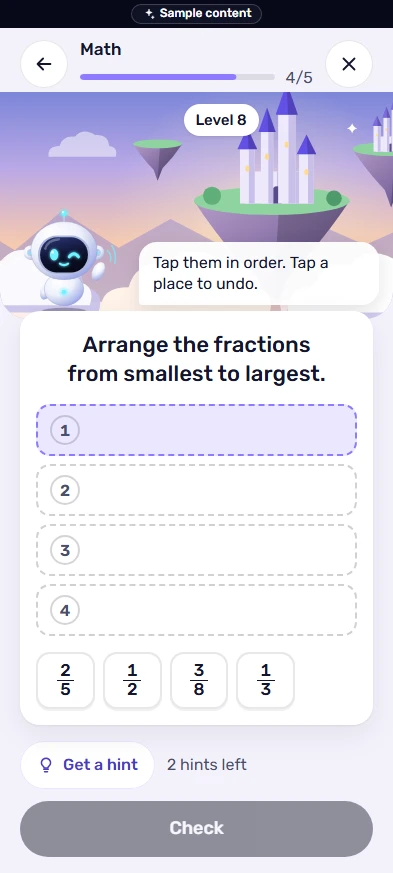
Order
Tap the pieces in order, for example smallest to largest or first to last.
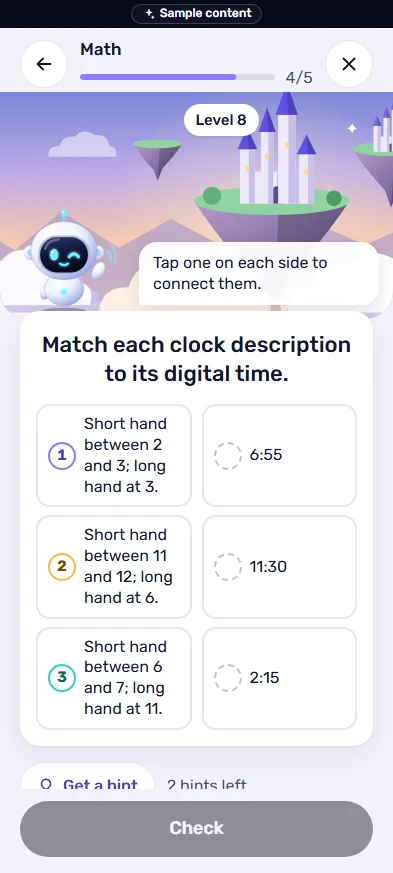
Match
Connect each item on one side with its partner on the other.
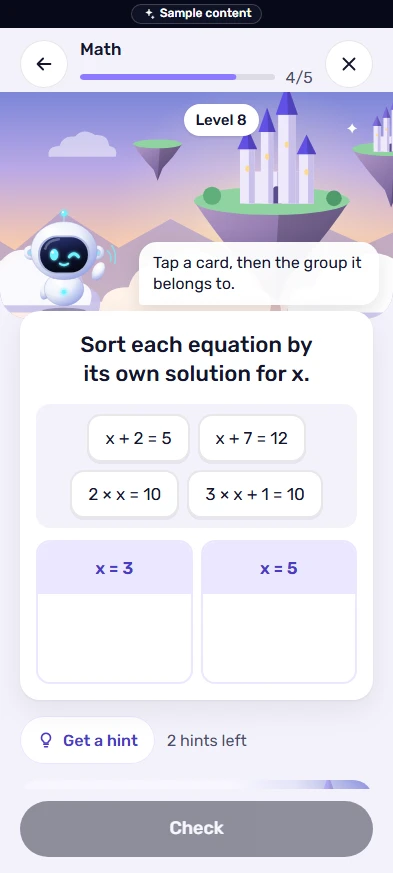
Categorize
Sort each card into the group where it belongs.
Real child-app question screens · browser preview with sample content
Short lessons use the same formats for their check questions.
Sample question
Try a questionyourself.
This is a real reviewed question from the Binadu math kit, shown the way the child app shows it. You can choose an answer, ask for a hint, or see how it’s solved.
- Hints are free. They never cost time.
- A wrong answer never takes time away.
- The feedback explains the answer. It never scolds.
Sample question. Nothing is saved and no time is earned.


Learn → earn → play
Right answers add a little more time.
You decide how much extra time learning can add each day. Your child decides whether to learn for it.
Learn
Answer a short reviewed question or finish a short lesson.
Earn
A correct answer adds extra minutes, up to the daily learning cap you set.
Play
Earned minutes extend today’s allowed time on the apps you limited. They’re for today and don’t carry over.
A wrong answer, a hint or stopping early never removes time already earned.
Parent Portal
What you seein the portal.
In the Parent Portal, each child has a learning section. You can check it any time.
- Choose which learning areas each child works on.
- See topics reached and the current unit in each area.
- See how questions went: solved alone, solved with help, not yet correct.
- Review recent activity, including hints used and worked solutions seen.
- Read neutral observations. They never take time away.
Binadu shows what a child practised. It doesn’t measure or promise school results.
See the Parent Portal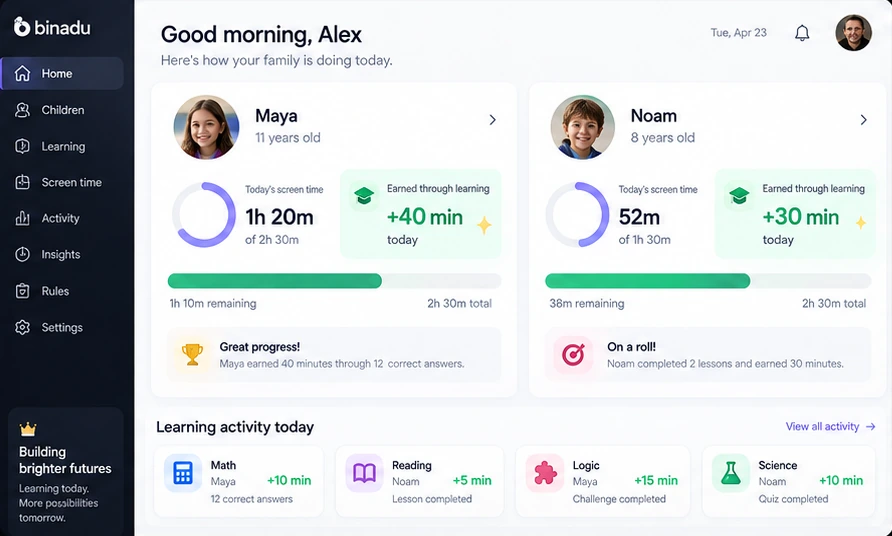
Parent Portal: design preview · sample family

Want to try itwith your family?
Binadu is in early access for families with an Android phone.
Get early access