


Screen time is over. Unless they earn more.
You decide how much time the apps you pick get each day. When it runs out, your child can answer a few short questions and get some minutes back.
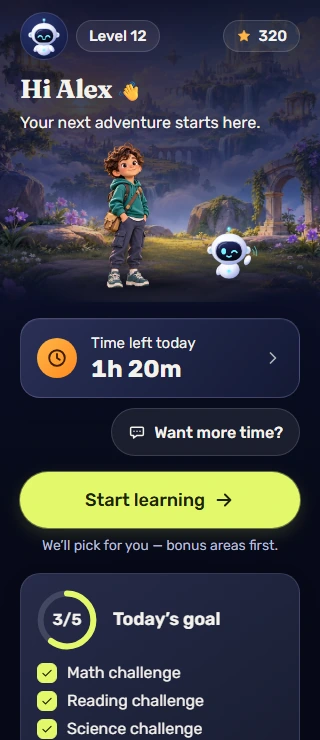
Real child app · sample family


How it works
Three steps, and that’s it.
Set the limit
Pick which apps to limit and how much time they get each day.
Time runs out
The app closes. Your child can stop there, or open Binadu and answer a few short questions.
Earn minutes
Right answers add minutes, up to the daily cap you set. Wrong answers never take time away.
What you get
An app for your child. A website for you.
Your child sees a world that looks like a game, with questions in math, reading, science, language and logic. You see how much time was used, what was learned, and whether the phone is still protected.
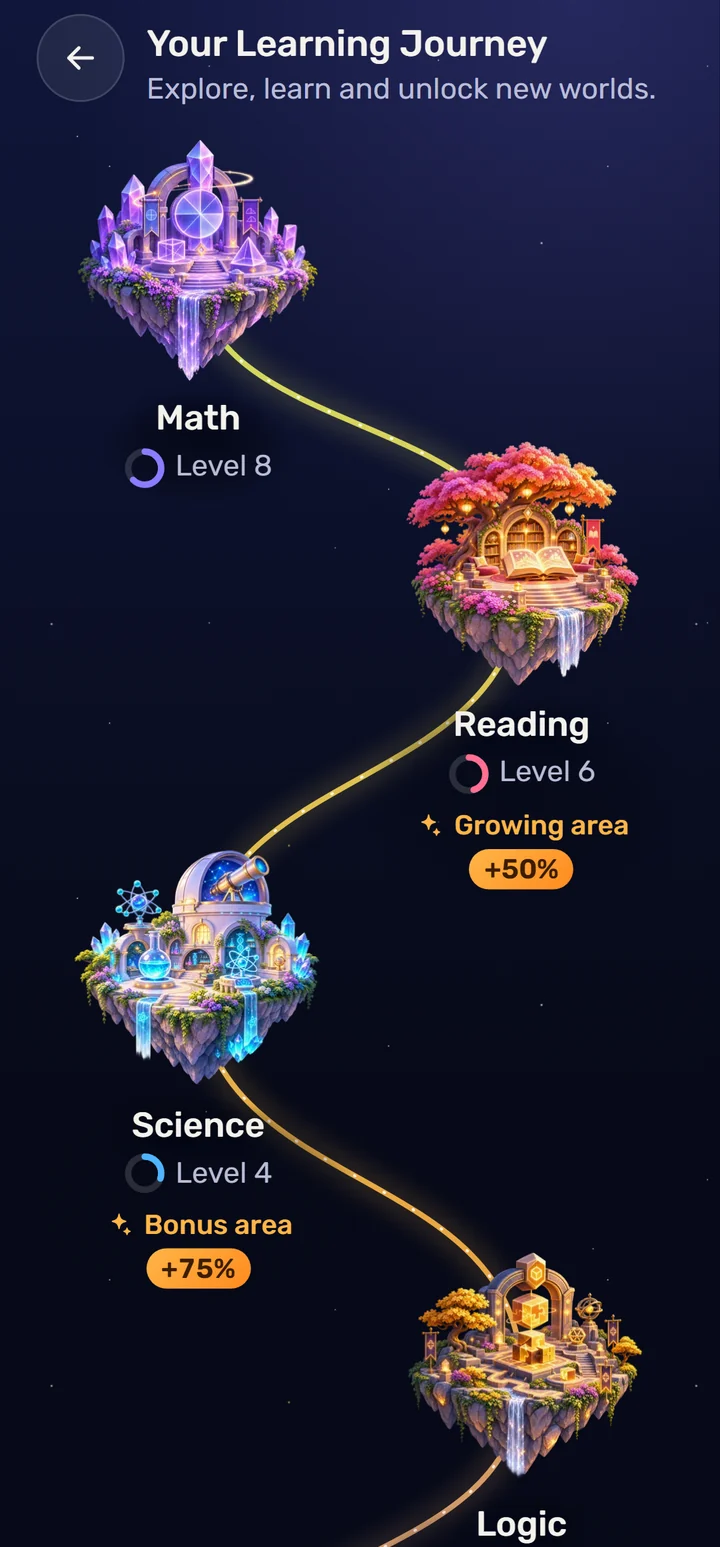
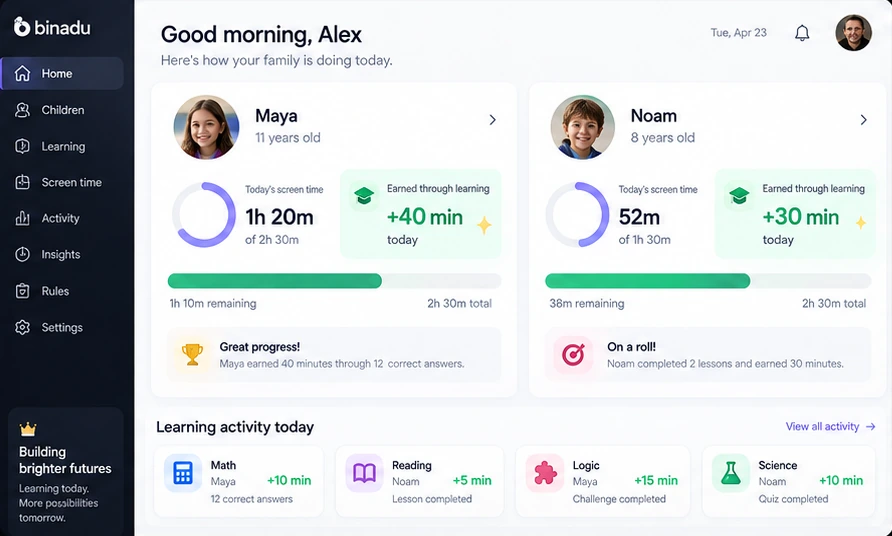
Child app: real screens. Parent Portal: design preview. Sample family.

One day they’ll manage their own time.
Until then, they get to practice. There is a clear limit they can see on the screen, and a fair way to earn a bit more.
Permissions
What Binadu doeson your child’s phone.
Binadu asks for four things on the child’s Android phone. Here is what each one is for.
More about permissionsAccessibility service
Tells Binadu which app is open, so it can close a limited app when its time is used up.
Media control
Pauses audio or video in a limited app. Binadu does not read your child’s notifications.
Visible status
A notification on the phone shows that Binadu is running. Nothing is hidden from your child.
Protection check-ins
The phone checks in regularly, so the Parent Portal can tell you if protection has stopped working.
Limits apply to the apps you choose. Websites in a browser are not blocked.



Want to try itwith your family?
Binadu is in early access for families with an Android phone.
Get early access